
Zapmail Review 2026: Is It Worth It for Cold Email Outreach?
Disclosure: This article may contain affiliate links. If you buy through them, we may earn a commission at no extra cost to you. If you run cold email campaigns, you already know that buying inboxes is only one part of the problem. The harder part is building a setup that does not fall apart because of poor domain structure, weak authentication, manual DNS work, or low-quality mailbox infrastructure. That is where Zapmail tries to stand out. In this Zapmail review, I will cover what Zapmail does, who it is best for, its core features, pricing, pros and cons, and whether it is actually worth using for cold email at scale.
What Is Zapmail?
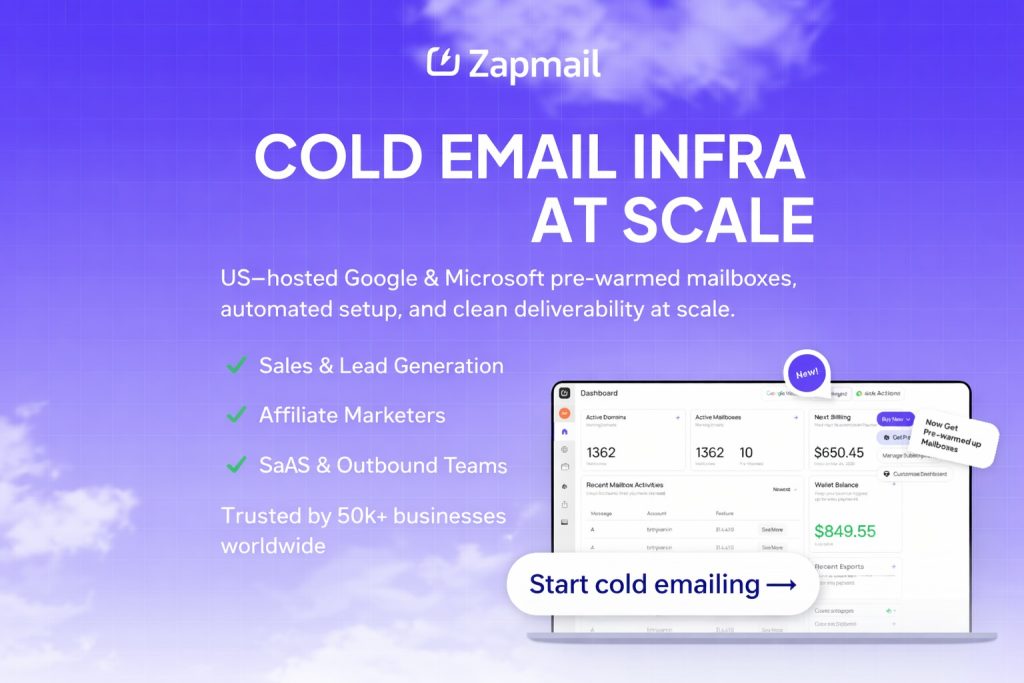
Zapmail is a cold email infrastructure platform built around Google Workspace and Microsoft mailboxes. Instead of making users handle every technical step manually, it focuses on simplifying mailbox provisioning, domain setup, authentication, and integration with outreach tools.
The main promise is simple: help users launch deliverability-focused cold email infrastructure faster, with less manual setup. That makes Zapmail more than just a mailbox seller. It is closer to an infrastructure layer for agencies, outbound teams, lead generation operators, and SaaS products that rely on cold email.
Who Is Zapmail Best For?
Zapmail is best for users who care about speed, control, and cleaner infrastructure.
It is a strong fit for:
– Agencies managing outreach for multiple clients
– SDR teams that need to scale mailboxes without building everything manually
– Founders doing outbound lead generation
– Operators who want one domain per workspace instead of messy shared setups
– Teams that use tools like Instantly, Smartlead, Reply, ReachInbox, or Lemlist
It may be less ideal for:
– Beginners with a very small budget
– Businesses that only send a few emails per week
– Users looking for a simple newsletter platform rather than cold outreach infrastructure
Why Zapmail Gets Attention
The biggest reason people search for a Zapmail review is not “Can I buy mailboxes here?”
The real question is usually this:
Can Zapmail help me build a cleaner sending setup with less technical hassle?
That matters because deliverability is heavily affected by infrastructure decisions. If your domains, DNS records, mailbox reputation, and workspace setup are sloppy, your campaign performance usually suffers no matter how good your copy is.
Zapmail is clearly designed around that pain point.
Core Features
Pre-Warmed Mailboxes
Zapmail is built around pre-warmed Google and Microsoft mailboxes, which is a major selling point for outbound teams that do not want to wait through a long setup cycle before launching campaigns.
For many buyers, this is the first feature that makes the platform appealing. It reduces the friction between buying infrastructure and actually using it.
That said, pre-warmed does not mean “guaranteed inbox placement.” Your targeting, copy, sending volume, reply rates, and list quality still matter. But starting with a cleaner foundation is still better than starting from scratch with a messy setup.
One Domain Per Workspace
This is one of the strongest parts of the platform.
Zapmail emphasizes workspace-level isolation, which means one domain per workspace with admin access. That is important for users who do not want to be bundled into unclear shared environments.
If you are serious about cold email, control matters. A setup with stronger isolation is generally easier to manage, safer to scale, and more transparent.
Automated DNS Configuration
DNS setup is where many cold email operators waste time or make mistakes.
Zapmail automates important technical pieces such as SPF, DKIM, DMARC, and custom tracking domain setup. That can save a lot of time, especially for agencies onboarding multiple domains or client accounts.
This is not the sexiest feature, but it is one of the most practical ones.
50+ Outreach Tool Integrations
Zapmail is clearly built for people already using outbound tools.
It supports integrations or export workflows for platforms such as Instantly, Smartlead, ReachInbox, Reply, and Lemlist. That makes the product much more useful than a standalone mailbox provider.
If your workflow depends on plugging new mailboxes into an outreach stack quickly, this part matters a lot.
Multi-Workspace Management
For agencies and operators handling multiple campaigns, the ability to manage separate workspaces is another practical advantage.
Instead of turning everything into one messy operational layer, Zapmail is built to support cleaner segmentation for clients, brands, or campaign groups.
Domain and Mailbox Workflow Tools
Zapmail also includes workflow helpers for domain naming, mailbox naming, and related setup tasks.
These are not the main reason to buy the product, but they can reduce friction for teams building cold email systems repeatedly.
Zapmail Pros
Here is what I like most about Zapmail:
Fast setup process
The product is clearly built around speed. That matters when you need to launch or replace infrastructure quickly.
Good fit for scale
Zapmail feels designed for teams, not just solo users. Agencies and outbound operators should get more value from it than casual senders.
Deliverability-focused positioning
The platform puts strong emphasis on infrastructure quality, authentication, and workspace structure, which is exactly what serious cold email users care about.
Admin access and cleaner control
This is an underrated benefit. Control and visibility matter when you are paying for infrastructure.
Works with popular outreach tools
This reduces setup friction and makes the platform more operationally useful.
Zapmail Cons
No tool is perfect, and Zapmail has a few trade-offs.
Not the cheapest option for very small users
If you only need a handful of inboxes and you are not serious about outbound scale, Zapmail may feel expensive compared with DIY routes.
Infrastructure still does not replace strategy
Even with solid setup, bad targeting and poor copy can still hurt results. Some buyers expect infrastructure to solve every deliverability problem, and that is simply not how cold email works.
Best value is for agencies and operators
Solo beginners may not use enough of the platform’s strengths to justify the cost.
Zapmail Pricing
At the time of writing, Zapmail’s monthly Google mailbox plans are structured like this:
– Starter: $39/month for 10 Google mailboxes
– Growth: $99/month for 30 Google mailboxes
– Pro: $299/month for 100 Google mailboxes
Additional mailboxes are billed separately, with lower per-mailbox pricing on higher tiers.
The Starter plan is usually enough for freelancers or small operators testing the platform.
The Growth plan looks like the most practical option for agencies or growing outbound teams.
The Pro plan is the one to look at if you manage multiple clients, need larger volume, or want API access.
Is Zapmail Easy to Use?
For the type of product it is, Zapmail appears easier to use than stitching together domains, mailboxes, authentication, and outreach integrations manually.
That does not mean it is beginner-level software in the “click one button and never think again” sense. You still need to understand cold email fundamentals.
But if your goal is to reduce setup friction, Zapmail looks significantly more convenient than building every layer yourself.
Is Zapmail Worth It?
Zapmail is worth it if your main priority is building cold email infrastructure faster and with better operational structure.
It is especially worth considering if you:
– Run outbound for clients
– Need multiple workspaces
– Want admin access
– Want less manual DNS and mailbox setup
– Care more about infrastructure quality than chasing the absolute cheapest option
It is less compelling if you just want the lowest-cost inboxes possible and do not care much about workflow, control, or scalability.
Zapmail vs DIY Setup
A DIY setup can look cheaper on paper.
But the real cost of DIY often includes:
– Time spent setting up domains and records
– Mistakes in SPF, DKIM, or DMARC
– Poor workspace structure
– Manual connection issues with outreach tools
– Inconsistent setup quality across domains
Zapmail’s value is not just selling inboxes. It is reducing the technical and operational mess that usually comes with scaling outbound.
If your time is valuable, that difference matters.
Final Verdict
So, is Zapmail worth it?
For agencies, outbound teams, and operators who need scalable cold email infrastructure, I think Zapmail is one of the more interesting options in the market right now.
Its strongest selling points are not flashy marketing claims. They are the practical things that actually matter:
– Pre-warmed mailbox infrastructure
– One domain per workspace
– Admin access
– Automated authentication setup
– Integrations with major outreach tools
– Support for multi-workspace scaling
It is not the right tool for everyone. But if your business depends on reliable outbound infrastructure, Zapmail is absolutely worth a look.
Final rating: 8.8/10
It is best for teams that want speed, cleaner infrastructure, and better operational control for cold email.
Check Zapmail pricing here: OFFICIAL PAGE
FAQs
Is Zapmail good for cold email?
Yes, Zapmail is built specifically for cold email infrastructure. It is most useful for teams that need scalable mailbox setup, cleaner workspace structure, and easier authentication configuration.
Does Zapmail provide Google Workspace mailboxes?
Yes, Zapmail offers Google mailbox plans and positions itself around deliverability-focused cold email infrastructure.
Is Zapmail beginner-friendly?
It is easier than building everything manually, but it is still best for users who understand basic cold email strategy and deliverability concepts.
How much does Zapmail cost?
Pricing starts at $39 per month for 10 Google mailboxes, with larger plans available for teams and agencies.
Who should use Zapmail?
Zapmail is best for agencies, SDR teams, founders doing outbound, and operators who want faster setup with more control over their sending infrastructure.
Related Articles: Cloudways Review 2025 – Honest Look at Managed Cloud Hosting